From first finding to signed‑off report.
RedReport manages security assessments from engagement plan to signed-off deliverable: findings with CVSS scoring and evidence, structured review, and reports generated in a print-ready layout.
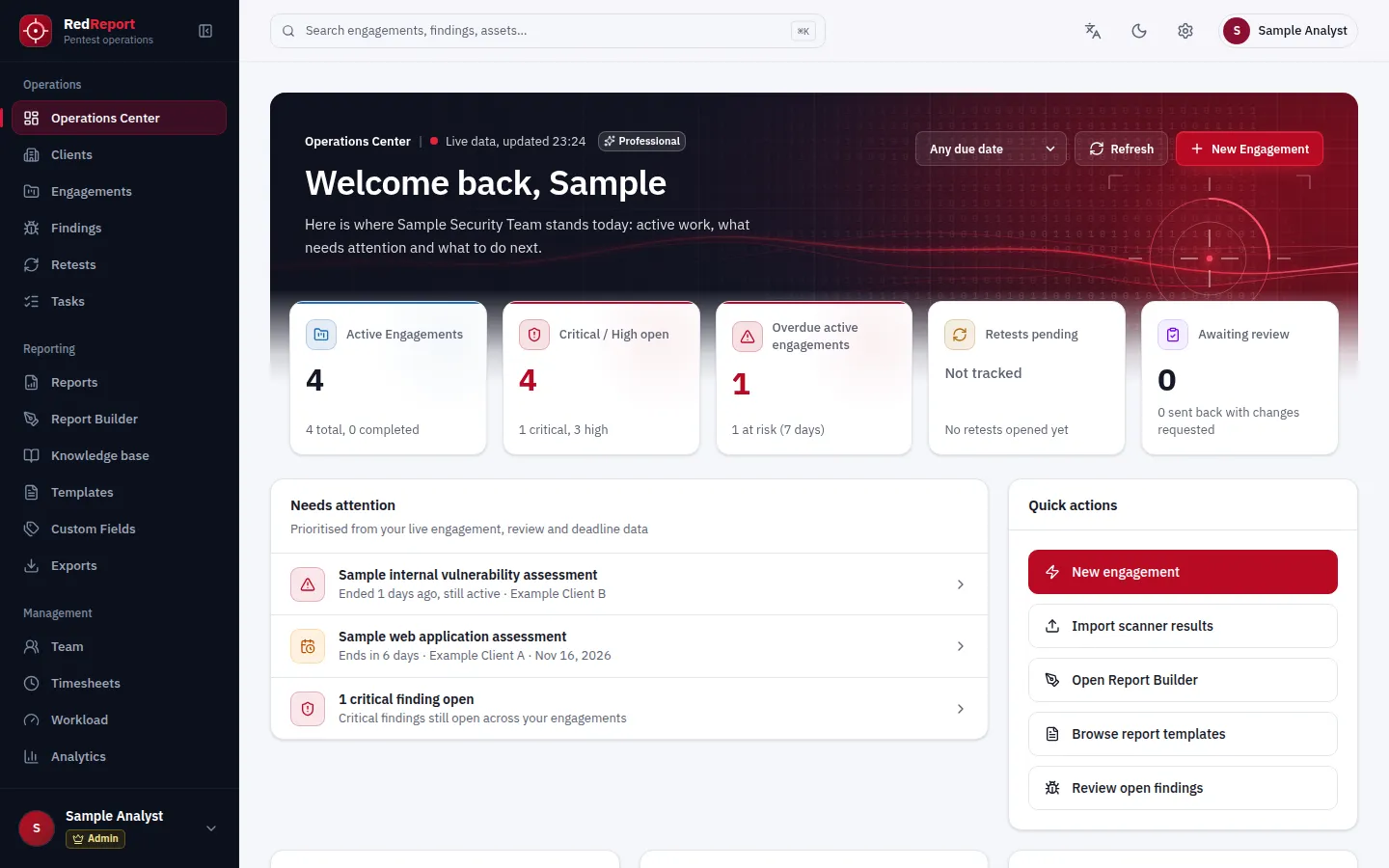
What is RedReport?
Reporting is half the job
Testers spend days finding issues and then more days formatting them. RedReport is a reporting platform for penetration testing and vulnerability assessment work that gives that second half back.
It keeps the parts of a deliverable that should never vary — scoring, structure, evidence and review — consistent from one report to the next, so the people writing it can concentrate on what they found. Reports are generated from the findings in a layout built for print.
Key features
Everything an assessment report depends on
Engagements
Client, scope, objectives, dates and assessment type in one engagement record that the report is built from.
Findings and CVSS
Every finding carries a CVSS 3.1 or 4.0 score, its evidence, impact and remediation guidance.
Report builder
Arrange report sections, preview the result live and save reusable layouts with version history.
PDF and DOCX
Export a print-ready PDF on every plan. DOCX export, so clients can edit the deliverable, is on Professional.
Scanner imports
Import Nessus and Nmap results straight into findings, de-duplicated against what you already have.
Retests
Request retests against the original findings and issue a report that shows what changed.
Assessment types
Seven assessment types, each with its own report structure
The assessment type of an engagement selects the report sections and the standard template it starts from.
- Web application penetration testFree and Professional
- Vulnerability assessmentFree and Professional
- Network penetration testProfessional
- Mobile application assessmentProfessional
- Wireless assessmentProfessional
- Social engineering assessmentProfessional
- Physical assessmentProfessional
Engagement management
Run many assessments without losing track
- Clients, engagement plans, evidence matrix and timesheets for teams running many assessments (Professional)
- An operations view of active engagements, overdue work and open critical and high findings
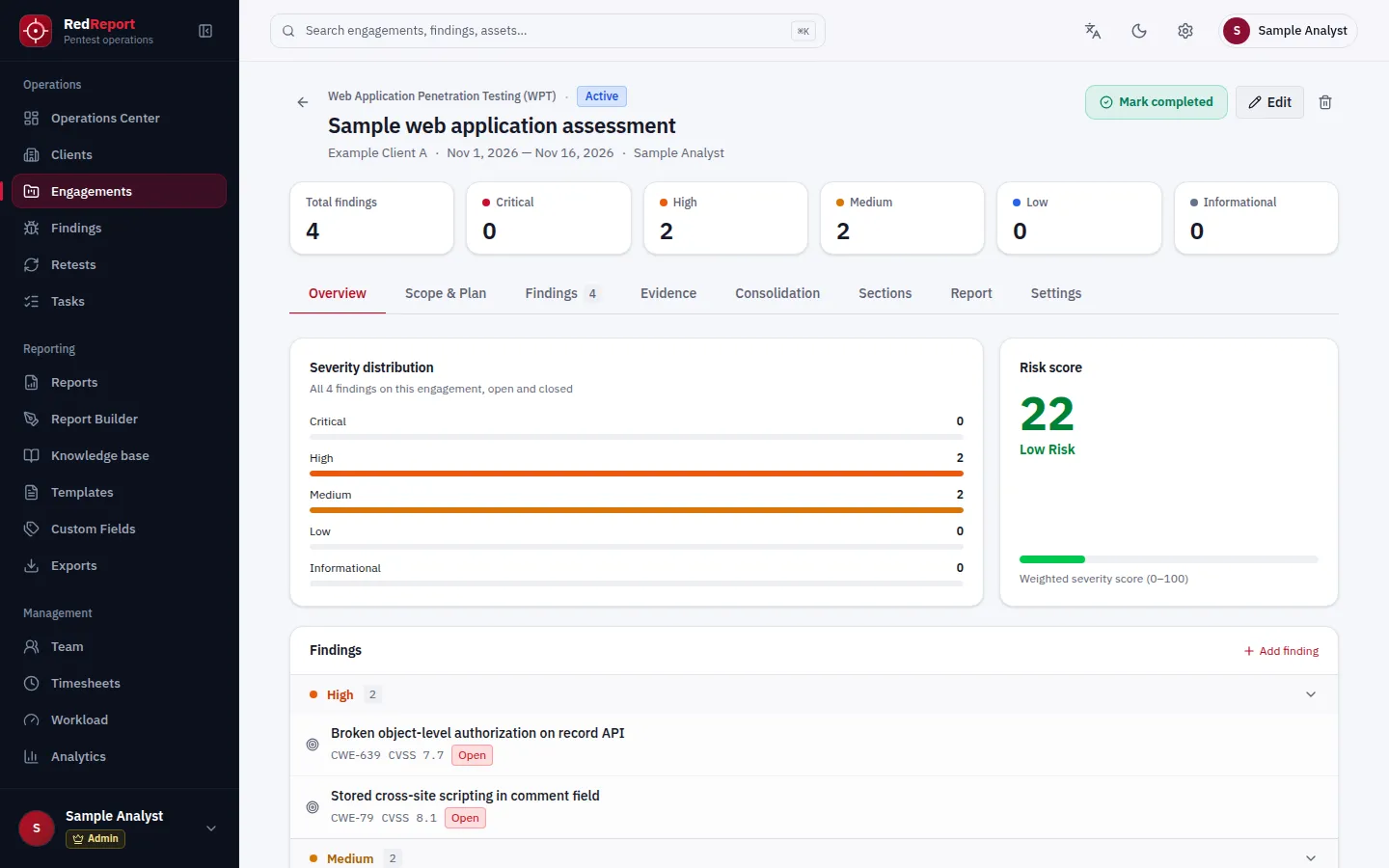
- Severity distribution and a weighted risk score for every engagement
- A vulnerability register export per vulnerability assessment, as CSV or XLSX
Vulnerability and CVSS management
Consistent scoring, from the first finding to the last
- CVSS 3.1 and 4.0 scoring on every finding
- Evidence attached to the finding it supports
- A finding library to reuse vetted descriptions and remediation; curate and version it on Professional
- Nessus and Nmap imports, de-duplicated against the findings you already have (Professional)
- Finding status from open through remediated, accepted risk or false positive
Report Builder
See the report while you shape it
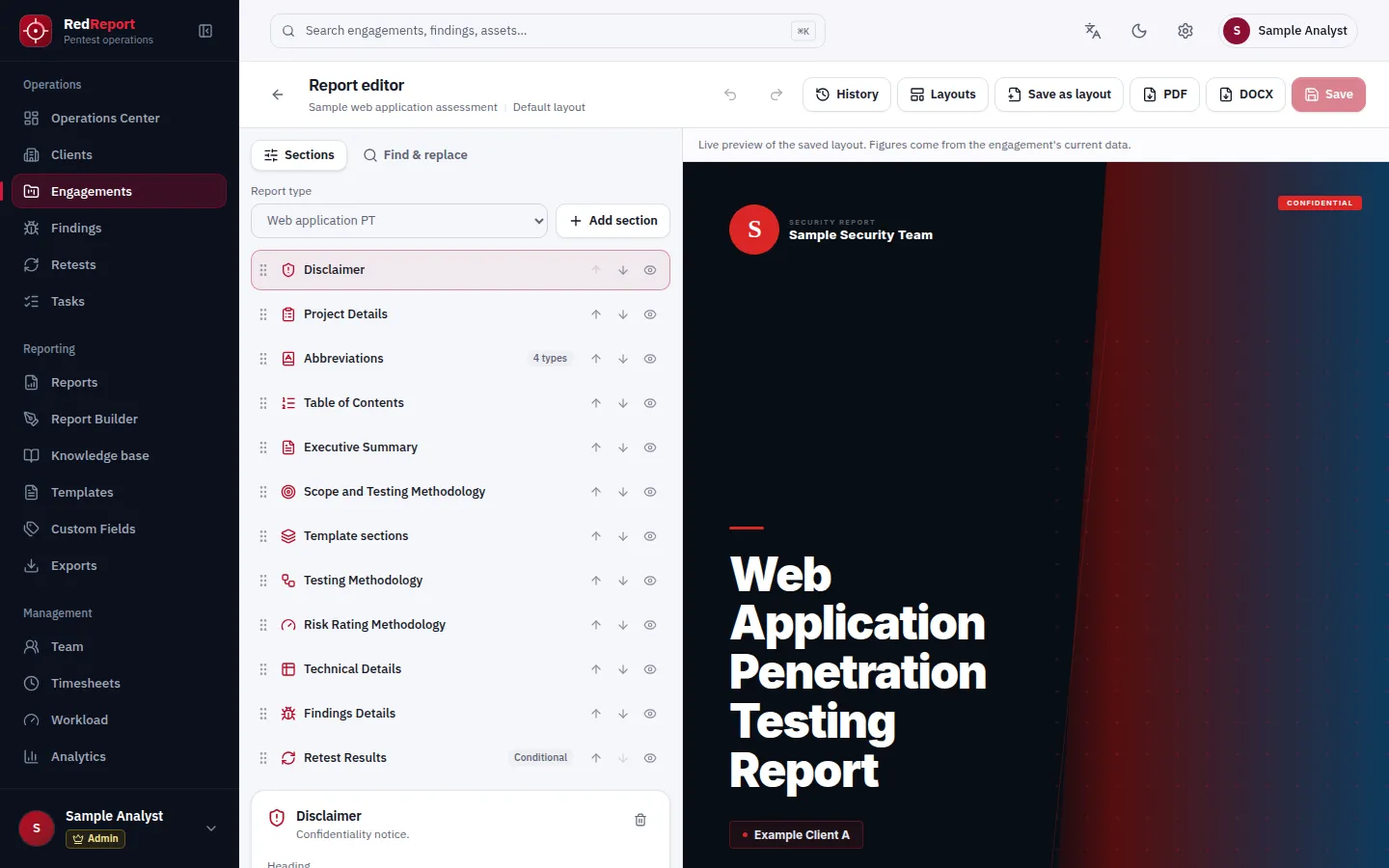
- Reorder, hide and add report sections with a live preview of the saved layout
- Save layouts for reuse and step back through version history
- Figures in the report come from the engagement's current data
- The advanced report builder is part of Professional
Template Studio
Your report format, filled from structured data
Template Studio is part of Professional. Free workspaces use the standard templates.
Word templates
Upload your own .docx template. Placeholders such as engagement, client and report fields are filled when the report is generated.
Custom fields
Define your own fields for findings, assets, engagements or reports, then place them in templates with the field picker.
Layout reference
Upload an existing report PDF as a layout reference and map each section onto it.
PDF and DOCX
Deliverables your clients can use
- PDF export on every plan, rendered from the same layout as the preview
- DOCX export on Professional, so clients can edit the deliverable
- A severity summary chart and totals in the generated report
- Your logo, colours and cover style on every report (Professional)
Team collaboration and permissions
Clear roles for the people behind a report
Team features are part of Professional. Roles apply within a workspace.
Admin
Manages the workspace, its members and their roles.
Reviewer
Reviews and approves findings and report content before delivery.
Consultant
Runs assessments and records findings and evidence.
Security considerations
Built for teams that handle sensitive findings
- Two-factor sign-in with an authenticator app and single-use recovery codes, on every plan
- Sessions held in secure, HttpOnly, host-only cookies with cross-site request forgery protection
- Each workspace's data is separated from every other workspace
- Role-based permissions inside a workspace, and a workspace audit log on Professional
- Platform administration manages accounts and plans, not report contents, and is not exposed to the public internet
Plans
Free and Professional
Start with three complete reports at no cost. Professional removes the limit and adds the tools a team needs.
Free
For individual testers producing their first client-ready reports.
No cost
- 3 reports for the life of the workspace
- Web application and vulnerability assessment reports
- The standard report template
- Findings management with CVSS 3.1 and 4.0 scoring
- PDF export
Professional
For teams that deliver assessments every week.
Contact us
- Unlimited reports, subject to fair use
- All seven assessment types
- All report templates, Template Studio and the advanced report builder
- PDF and DOCX export
- Scanner imports and retesting
- Team collaboration, custom branding and engagement management
| Capability | Free | Professional |
|---|---|---|
| Reports | ||
| New reports | 3 for the life of the workspace | Unlimited, subject to fair use |
| Assessment types | Web application and vulnerability assessment | All seven |
| Report templates | Standard template | All templates, plus your own |
| Advanced report builder | Not included | Included |
| Findings | ||
| Findings management | Included | Included |
| CVSS 3.1 and 4.0 scoring | Included | Included |
| Finding library | Read | Read and curate |
| Scanner imports (Nessus, Nmap) | Not included | Included |
| Retesting | Not included | Included |
| Delivery | ||
| PDF export | Included | Included |
| DOCX export | Not included | Included |
| Custom branding | Not included | Included |
| Team and operations | ||
| Team members and roles | Not included | Included |
| Clients, engagement plans and timesheets | Not included | Included |
| Workspace audit log | Not included | Included |
| Two-factor sign-in | Included | Included |
Fair use on Professional: up to 50 new reports per workspace per day. The plans shown are enforced by the platform; your workspace's plan page is the authoritative view.
FAQ
Questions about RedReport
What counts as one of the three Free reports?
Each report you create counts once, whether it is a web application test or a vulnerability assessment. Editing, re-exporting or regenerating an existing report never uses another one. Deleting a report does not give it back.
What happens when a Free workspace reaches the limit?
Everything already created stays available: you can still open, edit and export those reports as PDF. Creating a new report requires the Professional plan.
How is Professional priced?
Professional is arranged directly with our team while we onboard the first customers. Contact us and we will set your workspace up.
What does fair use mean on Professional?
Professional has no lifetime report limit. To protect shared rendering capacity, a workspace can create up to 50 new reports per day; talk to us if your volume is higher.
Can platform administrators read my reports?
Platform administrators manage accounts and plans, not your content. Report contents are not part of the administration tools.
Is two-factor sign-in available?
Yes, on every plan. Turn on an authenticator app in your account settings and keep a set of single-use recovery codes.
Can RedReport run on our own infrastructure?
RedReport is offered as a managed cloud service. On-premises deployment is arranged through a conversation with our team about your environment.
Bring your next report into RedReport
Open the application, or talk to us about Professional and on-premises deployment.